

Trade shows can generate valuable business opportunities, but managing them involves many moving parts. Teams must plan events, manage booth staff, capture leads, follow up, and measure results. Without the right technology, these activities can become disconnected and difficult to manage. Valuable leads may get lost, follow-ups can become delayed, and event performance can remain unclear. That is where trade show software can make a meaningful difference. The right tools can help your team organize event activities, capture better prospect information, connect leads with your CRM, automate routine follow-up, and measure event performance. However, choosing software is only the beginning. You also need the right processes, trained staff, clean data, and clear goals. That is why this trade show marketing guide takes a practical approach to trade show software. Whether you are attending your first exhibition or managing events for an established brand, you will learn how technology can support every stage of your trade show journey. From planning and lead capture to sales follow-up and ROI analysis, let’s explore how to build a smarter technology strategy that turns booth activity into measurable business opportunities.
Chapter 1 – Trade Show Software Basics
There are numerous tasks related to trade shows such as planning, staffing, lead capture, follow-up, and reporting. With the appropriate technology, these tasks can become easier and more efficient while avoiding any miscommunication or data loss. Trade show software digitizes these processes in a much more organized manner which allows exhibitors to save time, improve data quality, and make smarter choices. The most efficient trade show software tools unify the pre-show planning, on-site execution, and post-show selling and analysis to provide a much better experience than having them as separated processes.
What Does Trade Show Software Actually Do?
Trade show software is designed to help you organize and manage various aspects of your event operations. Depending on the platform and your specific requirements, there are different functions to choose from. Some programs are focused on a particular set of duties while others provide a variety of event-related features. As such, it is necessary to understand what you need to ensure you pick the right tool for your business. In reality, such software can help you in numerous ways, including –
- Manage event tasks – Organize deadlines, responsibilities, schedules, and important event activities.
- Capture visitor data – Collect attendee details digitally instead of relying on paper forms.
- Qualify prospects – Record buying intent, product interests, business needs, and follow-up priorities.
- Manage booth teams – Give staff clear responsibilities and access to important event information.
- Connect sales systems – Transfer captured leads into your existing CRM or sales platform.
- Measure performance – Track leads, conversions, costs, engagement, and other useful event metrics.
Think of it as a digital nerve center for everything related to your trade show program. Your staff can use this platform to store information relevant to the event lifecycle. This doesn’t mean the software will replace your event strategy, but it will give you the tools to execute it flawlessly.
What Are the Different Types of Trade Show Software?
The term trade show software encompasses a number of technology categories. Each category is aimed at solving a particular class of problems exhibitors encounter at trade shows. Being aware of them will help you avoid buying software that contains functions your team will never use. Here are the major categories of trade show software.
- Event management software – Organizes timelines, tasks, budgets, vendors, schedules, and event requirements.
- Lead capture software – Collects attendee information and allows staff to record useful conversation details.
- Lead qualification software – Helps categorize prospects according to buying intent, interest, budget, or timeline.
- CRM integration tools – Move event leads into your existing customer relationship management system.
- Marketing automation software – Helps create targeted messages and follow-up sequences after exhibitions.
- Analytics software – Measures event performance through leads, conversions, costs, engagement, and revenue data.
You may need just one solution or several interconnected ones. It all depends on your organization’s size, the scale of your events, the structure of your sales department, and your budget. For instance, for an exhibitor that only wants to digitize their lead capture and CRM, one tool will be sufficient. At the same time, an established company with a vast sales network will need a full-cycle solution.
How Does Software Improve the Exhibitor Experience?
Good technology makes your team’s work easier, rather than making it another complicated process. It should cut down on the need for repetitive tasks and give staff quick access to useful information. Take lead capture for example. Staff will be able to capture visitor details electronically rather than writing information on forms. That saves time and helps prevent errors caused by illegible handwriting or incomplete records. Then your team can spend more time on meaningful booth conversations. Software helps to create consistent processes within your booth team. Everyone can ask the same qualification questions and log the same information. This consistency is especially good after the event. Your sales team needs more than names and emails to know prospects. Useful notes can explain –
- What interested the visitor
- Which product they discussed
- What business problem they mentioned
- When they expect to buy
- What action your team should take next
This information gives sales representatives context before starting their follow-up conversations. In my experience, the biggest technology benefit comes from connecting these small actions into one consistent process.
When Should Your Business Consider Using Trade Show Software?
Not all exhibitors need to invest in trade show softwares immediately. Instead, recognize some early signs that you need an upgrade. You may consider adopting the use of exhibition management software if your team is having recurring issues with operational matters in shows and fairs, or if they are spending too much time and energy on other tasks. Here are some red flags that suggest you and your team need a better trade show system. Your company attends more than one exhibition annually. This will create multiple deadlines, vendors, booth staff, and leads. · Your booth has a high number of leads. This could become unmanageable if you are using manual methods to collect these prospects’ contact details. · The data you gather from prospects is either incomplete or missing. Incomplete data is useless and could slow down sales processes since they wouldn’t have enough information about these potential customers. The Sales department takes too long to follow up with prospects from your exhibitors’ booth. This may impede momentum after these leads have engaged with your company representatives. · It becomes hard to determine your ROI from participating in these annual or semi-annual trade shows. The data you have is fragmented and does not provide much analytical value. · Multiple departments are handling events. This could complicate things, especially if departments do not share the same digital platform. Consider other factors that would suggest you need a new system for handling exhibitions or trade fairs. For example, if spreadsheet programs have become a hassle and your team members dread using them to organize and store data related to events, it might be time for a change Suppose your company conducts ten exhibitions yearly and, therefore, uses ten separate spreadsheets to track leads, deadlines, vendors, and other pertinent information. The process of finding updated data may be too time-consuming and could require much effort.
Start With the Problem, Not the Software
The best reason to adopt trade show software is not that your competitors are using it. You should invest in this technology to improve your own processes. First, determine what challenges you want to overcome. It could be lead generation, planning, follow-up, internal collaboration, or return on investment (ROI). Then, invest in the tools that will help you address these issues directly. Keep in mind that more technology does not equal better results. Your trade show technology should make your processes more seamless and efficient while also improving the quality of your data and fueling your team’s ability to transform this information into sales-generating opportunities.
Chapter 2 – How to Choose the Right Trade Show Software Without Wasting Your Budget
When it comes to picking the right software for a trade show, it can feel as though one has to compare dozens of different products with varying levels of features and costs. When it comes to cost-benefit analysis, it is always easy to compare the cost-benefit of the two options and try to chose the best among the two. However, what if I want to compare two options based on the value and the practicality of use? I propose that a company should base its analysis on the criteria which are related to the needs of the company with respect to a particular exhibition based on features and the benefits which it brings along and not the opposite. I think the statement reflects a general principle in the case about trade shows and exhibition in relation to purchasing decisions. Everything has to have a business case to it.
1. Define Your Trade Show Goals First
Before even beginning your search, you must know precisely what you want the software to do for you. If you do not, you may waste your time looking at things that are not entirely necessary for your company. Therefore, think about what feature you need the most. What is your primary goal with the assistance of the program? Do you need to improve lead generation and nurturing? Is there an issue with trade show reporting that you would like to solve? Whatever it is, it should be the feature that your software will concentrate on. For example, if you want to improve lead generation, you should invest in the program that will optimize your lead nurturing and help you capitalize on the sales generated at your exhibitions. You may also consider a tool that offers some additional features to complement the main one, like –
- Capture more qualified leads – Choose tools that collect visitor details and useful qualification information.
- Improve follow-up speed – Look for automation that helps sales teams contact prospects quickly.
- Reduce manual work – Prioritize tools that remove repetitive data entry and administrative tasks.
- Improve event ROI – Choose software that connects costs, leads, opportunities, and sales results.
- Manage multiple events – Consider platforms that organize several exhibitions without creating separate workflows.
A clear goal gives you a practical benchmark for every software option. It also helps prevent unnecessary spending on attractive but irrelevant features.
2. Identify the Features You Actually Need
Once you have clarified your goals, make a list of desired features. Not all of the available functions provided by the software supplier will be relevant to you. Bear in mind what your staff will need to do before, during, and after the exhibition. This list will be driven by the resources you have available to you. For example, if you are a small exhibitor, you may only want to capture leads digitally and send them to your CRM. If you have a dedicated exhibition team, you will want to plan, staff, automate, analyze, and manage multiple events at once. I would advise you to group the required features into three broad categories –
- Essential – Features your team needs for every event.
- Useful – Features that improve efficiency but do not affect core operations.
- Optional – Features that sound helpful but currently solve no major problem.
This simple exercise makes comparisons easier. It also gives you stronger control when software providers present additional upgrades. Remember, more features do not automatically mean better software. The best platform makes your team’s work easier without adding unnecessary complexity.
3. Check Integrations with Your Existing Tools
Your trade show software needs to integrate within your tech ecosystem. Otherwise, you will generate additional siloed data requiring constant manual inputting. Make sure that it will connect to your CRM, marketing platforms, email programs, analytics, and other tools. You must make sure that this data will continue to serve its purpose post-show, flowing towards sales and marketing operations. Before buying any system, ask these integration-related questions –
- Which systems can you connect?
- Which lead fields transfer automatically?
- Does the integration work in real time?
- Can your team use an API or connector?
- What happens when an integration fails?
Do not accept a simple “yes” from a sales representative. Ask for a demonstration using your actual workflow. The same principle applies to other exhibition investments. Clear scope matters because event projects can include many separate costs and responsibilities.
4. Compare Pricing and Scalability
Software pricing is a tricky issue since the announced cost is often not fully transparent. Some providers use a per-user model, others have event-based, lead-based, feature-based, or integration-based pricing, plus additional fees for implementation, support, and data. Therefore, it is essential to look beyond the specified software pricing and pay attention to the cost of ownership. Take into account such expenses as –
- Number of users
- Number of events
- Lead volume
- Required integrations
- Setup and onboarding costs
- Support charges
- Additional features
- Data storage requirements
Then create a projection of your upcoming future events. The software that was perfect for your two exhibitions may start to feel expensive when your trade show calendar gets more packed. Scalability is crucial, not to mention the fact that you want your investment to keep up with your growth rather than hold you back. Next, calculate the value of the software in relation to costs. A more expensive software may be worth it if it cuts out tedious work and increases lead conversions by leaps and bounds.
5. Test the Software Before Committing
Never decide on trade show software based only on screenshots and sales presentations; your booth staff will need to use the technology under pressure. Request a demo, trial, or test environment whenever possible; ask the people who will be using the software to test it out. Make sure they can perform tasks necessary at your event, like capturing a lead, updating notes, qualifying, and transferring information. Watch how easily they can perform these tasks. If simple actions seem too hard during testing, imagine how chaos will unfold during the event itself. Testing integrations is also a good idea before buying any software. A platform may look amazing on its own, but it can turn into a nightmare to use with other programs. Your testing process should answer one simple question – Can our team use this software quickly, confidently, and consistently during a busy trade show? If the answer is no, keep comparing.
The Bottom Line
Choosing trade show software is not a question of what is the best but rather the question of what suits the purpose, process, people, and budget best. That is why it is important to start with defining the purpose, understanding the required functionality, ensuring compatibility, evaluating the budget, and testing the ease of use. This is the reason why I believe it is important to prioritize choosing the software based on the organization’s needs and not the technology-driven approach and consider multiple options. I think that the primary purpose of such software is to make the job easier, automate the collection of leads or data, and help the sales rep make the right decisions. Most importantly, it should be something that the team would want to use. A simpler solution that is widely adopted in the company makes more sense than a complex one that is only used by a few.
Chapter 3 – How to Simplify Your Entire Trade Show with Event Management Software
Planning a trade show can require managing a lot of deadlines, vendors, staff, budget, travel, displays and more. Keeping track of it all can be challenging when you’re trying to communicate between spreadsheets and emails. With event management software, you can consolidate the many different aspects of your event under one roof, making them accessible and understandable to all, and enabling the productivity and the ability to perform for your team while minimizing errors. By using event management software, you can make sure that your team’s efforts are not wasted by everyone managing different parts of the same event. It enables your team to focus on different event deadlines rather than different parts of the same trade-show. In short, having event management software would enable you and your team to avoid the hassle of managing numerous Excel sheets and emails while being more productive and focused on one collaborative project that puts all the different parts of your event together at the end.
1. Centralize Event Timelines and Tasks
Every trade show has important deadlines that your team must adhere to. There may be approvals for your booth, artwork, shipping, staff signups, installations, and more. By utilizing your shared digital project management space, you can ensure everyone knows the important dates, who is responsible, and what needs to be done by when. You can do this much more efficiently than digging through multiple layers of email threads trying to find the most up to date information Use your software to –
- Create event timelines – Add important deadlines from initial planning through post-show follow-up.
- Assign task owners – Give every responsibility to a specific team member.
- Set reminders – Alert staff before important deadlines arrive.
- Track progress – Monitor completed, pending, and delayed activities.
- Store important documents – Keep schedules, approvals, artwork, and event information easily accessible.
For instance, you may need to have artwork for a booth approved several weeks before it’s due to be installed. The shared timeline keeps that design team and the marketing team on track to get it ready for approval. Your goal is to make sure everyone has the information they need, along with the right people assigned to the tasks and the deadlines for everything.
2. Manage Budgets and Expenses
Holding a trade show involves a lot of costs apart from the booth or exhibition site rental. Transportation, accommodation, shipping, staff, graphics, technology, and marketing are some of the expenses that can add up to a significant sum. Therefore, it is essential to use organizing event management software that will allow keeping all the costs in one place and having an accurate picture of the spent and unspent amounts. In addition, a budget should be created to see the expected versus reallocation for trade shows and analyze which items needed extra spending and what could be optimized for the next events. For instance, the exhibition stand budget requires aa detailed breakdown of expenditures for construction, graphics, furniture, trade show display rentals, transportation, assembly, and disassembly. Apart from that, it is crucial to add all the expenses that were not included in the initial project budget, such as organizer commissions, electricity, approvals, and others. Moreover, the detailed distribution of spent funds will illustrate the ROI (return on investment) of a trade show. It will also help identify the places where the spending was lower than expected, increasing the ROI.
3. Coordinate Vendors and Booth Requirements
Most exhibitors have multiple outside vendors that contribute to a successful trade show. This can include everything from booth building contractors and exhibit rental providers to printers, shipping companies, technology providers, venues, and more Managing all of this information and making sure that everyone knows what they need to do in a timely manner can be challenging, especially when important information is only shared by email. With event management software, you can provide a central repository for your exhibitor services team to manage their exhibitor and vendor needs. For each vendor, you can track
- Contact details – Keep the correct contact person and communication information accessible.
- Responsibilities – Clearly document what each supplier must deliver.
- Deadlines – Record artwork, production, shipping, and installation dates.
- Approvals – Track designs, documents, and venue requirements that need confirmation.
- Delivery details – Monitor where and when materials must arrive.
This structure is particularly advantageous in the case of a complex stand, which often incorporates multiple elements. A standard exhibit often involves construction works, graphics, furniture, electrical engineering, transportation, installation, and dismantling. As a result, you are able to minimize risk by clarifying responsibilities and deadlines for each supplier involved in the project.
4. Keep Your Entire Team Aligned
A trade show is typically a collaborative effort of an organization’s event management team and marketing, sales, operations, finance, management, and booth personnel. Because these departments and team members have diverse responsibilities in executing the trade show, each will likely formulate their own ideas and plans in the absence of shared information, leading to miscommunication and inefficiencies A shared database that stores and disseminates relevant information about the event can facilitate your and your colleagues’ preparation in support of the trade show. Your sales team can receive and review information about staffing and promotional activities while your marketing team can stay abreast of deadlines, budgets, and other relevant information, enabling them to better support the event, and the overall goals and objectives of the organization. In addition, operations managers can ensure that displays, equipment, and materials arrive at the event and are assembled correctly and on time. In addition, a shared database fosters a sense of accountability among your team members since all tasks will have owners and deadlines. Therefore, an effective event management system should serve as your organization’s single source of truth about the event.
Make Event Management Software Work for You
Event management software should not make things more complicated for you. It should streamline your existing processes. First, identify all the processes in your exhibition management. Then, determine which ones are repetitive, lack communication, have delays, or require additional clarification. After that, configure the software according to your identified needs. You will see that the best value is achieved when you design your unified workflow in the software from budgeting and planning to booths’ delivery and event execution. This way, you will have more control over the exhibition before it opens and reduce the number of things that can go wrong.
Chapter 4: How to Capture More Qualified Leads With Trade Show Lead Capture Software
A busy booth may suggest that your efforts are paying off, but just collecting information on the number of visitors is not nearly enough for securing valuable sales leads. Lead capture software enables your team to capture valuable information to help your sales representatives follow up while engaging the conversation at the booth. I believe that lead capture software is the most important tool that can help in transforming conversations at the booth into actual opportunities. Without it, you may see a good turnout of prospects visiting your booth, but without engaging prospects, it will be challenging to collect valuable leads and transform them into sales.
Capture Visitor Information Digitally
Using paper sheets to capture the information of your visitors can slow you down and create issues down the line. The capture software allows you to get your leads digitally through your phone, tablet, scanner, or other digital devices. Depending on the option you choose, the software can collect the necessary information like names, company, title, email address, phone number, and other relevant information for your sales follow-up. The digitized information is easy to organize after the exhibition, making life easier for your sales representatives who can collect the critical leads from the event. For exhibitors, the biggest advantage is simple: your team spends less time collecting information and more time talking with potential customers. However, always check what information your event’s badge system actually provides. Some events may limit the fields available through attendee scans.
Reduce Manual Data Entry
Manual data entry creates two problems: it consumes time and increases the chance of mistakes. A busy booth makes this problem even worse. Imagine a representative speaking with a visitor while trying to type every detail manually. The conversation can become impersonal and unproductive. Lead capture software takes away that headache by capturing that information for you, so that you can spend your time and effort on the things that the technology cannot, such as identifying needs and buying signals. This creates a better balance between automation and human interaction. I recommend testing the capture process before your event. If staff need too many steps to save one lead, simplify the workflow before show day.
Add Notes and Lead Information During Conversations
Contact information tells you who the visitor is. It rarely explains why that person matters. That is why conversation notes can become one of the most valuable parts of your lead data. Encourage your booth team to record short, useful notes while the conversation remains fresh. For example, notes could include:
- Product interest: Mention the specific product or service the visitor discussed.
- Business challenge: Record the problem they want your company to solve.
- Buying timeline: Note whether they plan to purchase soon or later.
- Decision status: Identify whether they influence or control purchasing decisions.
- Next action: Record the agreed follow-up, such as a call or product demonstration.
Keep these notes brief and specific. Your sales representative should understand the conversation without reading a long paragraph. A simple note like “Needs pricing for 500 units before December” can prove more useful than several generic comments.
Use Custom Questions to Understand Prospects
Not every visitor deserves the same follow-up. Custom questions help your team understand whether someone represents a genuine business opportunity. However, avoid turning your booth into an interview. Too many questions can make the conversation feel uncomfortable and transactional. Instead, choose a few questions that support your qualification process. Depending on your business, you might ask:
- What solution are you currently using?
- What challenge are you trying to solve?
- When do you expect to make a decision?
- Which product or service interests you most?
- Would you like a demonstration or consultation?
The questions should feel like part of the conversation rather than a mandatory checklist. I prefer questions that help the visitor explain their needs naturally. Those answers give your sales team much stronger information after the exhibition.
Send Captured Leads Directly to Your Sales System
Capturing leads is only the first step. Your team must also move those leads into the right sales workflow. You can connect your lead capture software to your CRM if you want to eliminate time-consuming manual data entry. Also, you can upload the information you have captured directly into your existing CRM and sales database if the integration is set up correctly. This way you can eliminate the need to transfer information manually. It means your sales representatives get the lead faster, so they can begin following up while the conversation is still fresh. You can also set it up to route the lead depending on the territory, products of interest, industry, or assigned account manager. For instance, you can set up the system to ensure that healthcare prospects go to the healthcare lead manager. That creates a clearer handoff between booth staff, marketing, and sales. Before the event, you must test the integration carefully. You must check field mapping, duplicate records, lead ownership, required information, etc. A broken integration can create just as much work as manual data entry.
Turn Booth Traffic into Useful Sales Data
The purpose of lead capture software is not simply collecting more names. It is about collecting better information that your sales team can actually use. Start with a simple process. You can start with capturing essential contact details, adding useful conversation notes, asking relevant qualification questions, and transferring leads into your sales system. Then review your process after every exhibition. Ask your sales team one important question: “Did the information from the booth help you have a better sales conversation?” If the answer is yes, your lead capture process is doing its job. If not, improve the questions, fields, or workflow before your next event. Ultimately, successful lead capture turns a short booth conversation into a structured business opportunity that your team can pursue long after the exhibition ends.
Chapter 5: How Lead Scoring Can Help You Identify Your Hottest Prospects
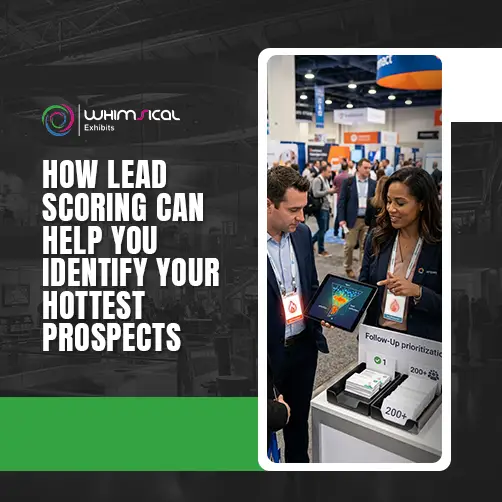
A trade show is a great place to build hundreds of contacts, but not all of them are equal in terms of sales value. Some only visit to study their options while others research solutions or get ready to purchase them. Your lead scoring strategy helps your sales reps sort out the two and prioritize getting in touch with the most promising ones first. I believe that scoring leads is incredibly important for any trade show since the number of prospects that your reps will be able to follow up on will be several times higher than those that your sales team will manage during their shifts. Instead of treating every contact equally, you can focus effort where buying potential looks strongest.
Define What Makes a Lead “Qualified”
Before scoring leads, your team needs a clear definition of a qualified lead. Otherwise, every booth representative may judge prospects differently. A qualified lead should meet criteria that match your actual sales process. These criteria can include such variables as business need, product fit, decision-making authority, budget, and purchase timeline. For example, a person who wants to request a quotation may be qualified better than a prospect who has a casual interest in your products and only wants to receive catalogs. Your qualification criteria may include such variables as:
- Business need: Does the prospect have a problem your product or service can solve?
- Product fit: Does your offering match their requirements?
- Buying authority: Does the visitor influence or make purchasing decisions?
- Budget: Does their expected spending align with your offering?
- Timeline: Do they plan to purchase within a meaningful timeframe?
- Next action: Did they request a meeting, quotation, demonstration, or follow-up?
Keep your definition simple enough for every booth staff member to understand. If your team cannot explain what makes a lead qualified, your scoring system will probably create inconsistent results.
Score Leads Based on Buying Intent
Once you define qualification, assign scores to actions and information that indicate stronger buying intent. Though, however, the exact scoring system will depend on your particular business. However, the principle is straightforward: “stronger” buying signals must be weighted more heavily. For example, a prospect that asks for pricing and set up a product demo is clearly more interested than one that only downloaded a white paper. You could weight these buying signals (or indicators) –
- Requested pricing or quotation
- Asked about product availability
- Requested a demonstration
- Shared a specific business challenge
- Confirmed a purchasing timeframe
- Discussed budget requirements
- Asked for a sales meeting
- Identified themselves as a decision-maker
You should not make your own scoring model too complicated. The booth personnel should be able to understand it at a glance and use it actively throughout the exhibition. I would suggest going for simple scoring models that let your reps act intuitively rather than forcing them to do complex calculations. Another option is to use a combination of manually entered information and digital engagement data so that you have a more complete picture of the prospect’s interest in your offering.
Separate Hot, Warm, and Cold Prospects
Once their scoring model is working well enough, sales executives should consider grouping their leads into categories. The rationale here is intuitive, as it allows for prioritizing and selling bigger deals more efficiently, especially over very large customer bases where having some sort of triage is inevitable. A possible categorization is to split the leads into hot, warm, and cold categories. The hot leads are the ones that the sales executive thinks that is the most probable to buy at any given moment. Therefore, they should be prioritized in communications and followed up on more closely. Meanwhile, their warm counterparts are good leads but need more time or better information to finalize a purchase. Finally, there are the cold leads that currently have no interest in buying but can be wooed into reconsidering sometime in the future. It is important that these categories are not fixed but rather dynamic. A cold lead can become warm, and a warm one can become hot right after engaging in a conversation with a sales executive. Therefore, review lead status as new information becomes available.
Prioritize Follow-Up Based on Lead Quality
Your sales team should not necessarily contact leads in the order they entered your database. Lead quality can provide a smarter starting point. High-scoring prospects should usually receive faster personal attention. Sales representatives can contact them, schedule meetings, provide the requested information, or set up product demonstrations. This way, warm leads can receive targeted follow-ups while sales representatives monitor their engagement. Cold leads can be nurtured with valuable content without occupying the sales team’s time and effort. This ensures that there is no loss of potential deals when a company has hundreds, if not thousands, of leads after a trade show. For instance, if your company’s booth attracted three hundred new leads over three days of an exhibition, the sales reps cannot contact each of them and offer their services right away. Using lead scoring, a company can prioritize the most promising leads and invest more effort into the sales process. For example, 30 or 40 out of 300 leads may have a high probability of converting into customers, and the company needs to devote more attention to them. On the other hand, the software cannot make decisions for sales representatives. There should be human judgment in lead prioritization. A score provides direction, not certainty.
Use Lead Scoring to Make Follow-Up Smarter
Lead scoring works best when your entire team follows the same qualification process. Start by defining what makes a valuable prospect. Then assign simple scores to meaningful buying signals and create clear lead categories. Finally, connect those categories with specific follow-up actions. The real goal is not to create impressive numbers inside your software. The goal is to help your sales team answer one important question: “Which trade show leads should we contact first, and why?” When your scoring system answers that question clearly, your team can spend less time sorting contacts and more time pursuing genuine sales opportunities.
Chapter 6: How to Turn Badge Scans into Actionable Customer Data
Badge scanning gives exhibitors a fast way to collect visitor information during busy trade shows. However, a scan alone rarely tells your sales team enough about the prospect. A badge can identify the visitor, but it cannot explain their needs, interests, buying plans, or conversation with your team. That is where your process becomes important. Combine badge information with useful notes, lead status, product interests, and next actions. I always look at badge scanning as the starting point for lead intelligence, not the complete lead record.
Capture Attendee Information Quickly
Trade show booths can become extremely busy, especially during peak visitor hours. Your staff need a quick way to collect basic information without interrupting meaningful conversations. Badge scanning can save you time spent typing and can extract the precious attendee data in a matter of seconds. Depending on the system used, it can include the name, company, position, and contact info of the visitor. Getting this information fast will allow your team to spend more time focusing on the visitors rather than filling out forms. A simple scanning process can help your team:
- Capture basic details: Collect available attendee information quickly and consistently.
- Reduce waiting time: Avoid asking visitors to complete lengthy forms.
- Handle busy periods: Process more visitors when booth traffic increases.
- Create digital records: Keep captured information ready for your post-show workflow.
However, do not assume every badge contains every detail you need. Event organizers control the information available through their scanning systems. Therefore, understand the available fields before the exhibition begins.
Add Context to Every Scanned Lead
A badge scan tells you who visited, but it rarely explains why they visited. Your staff should add useful context immediately after important conversations. These notes can make a significant difference during post-show follow-up. For example, imagine your team scans a visitor who asks about your enterprise solution. Without notes, your sales representative sees another contact in the database. With a short note, the same record could say, “Interested in enterprise plan and requested pricing for next quarter.” That small detail changes the quality of the follow-up completely. Encourage staff to record information such as:
- Product interest: Identify the products or services discussed.
- Business requirement: Record the main problem or need.
- Buying timeline: Mention when the prospect expects to purchase.
- Lead status: Indicate whether the prospect appears hot, warm, or cold.
- Next action: Record the agreed follow-up, meeting, quotation, or demonstration.
Keep notes short and specific. Your sales team should understand the conversation quickly without reading unnecessary details.
Standardize the Information Your Team Collects
Different booth representatives naturally collect different information. Without standards, one person can enter extensive notes for a lead and another might not enter anything. This leads to having an uneven and hard-to-compare list of sales leads. In order to prevent these types of problems in the leads pipeline, a consistent lead capture is useful. Provide standardized fields, questions and categories to your Sales team. For example, every representative could record: Product Interest → Business Need → Buying Timeline → Lead Status → Next Action This structure helps keep your whole booth team on the same page. It also helps make data collection easier to sort through later when analyzing the results of the exhibition. Sales representatives can easily sort through the collected data, finding those who have shown interest in a particular product or have a need for a particular service. However, do not include too many mandatory fields that will need to be filled out by each visitor that stops by your booth, as it will discourage your representatives from filling out the information. I would suggest that you include necessary fields as mandatory and optional fields with valuable information that you truly want to collect. The best system collects enough information to support sales without slowing down conversations.
Keep Data Accurate and Usable After the Show
Collecting hundreds of records means little if your sales team cannot trust the information. After the exhibition, cross-check your database for missing details, repetition, wrong entries, and inconsistent categories. This database cleanup should be completed while the conversation is still fresh. In addition, your team should double-check that all critical leads have a proprietor. A valuable lead without an assigned sales rep may be lost. A good post-show data processing includes-
- Remove duplicates: Combine repeated records where appropriate.
- Check missing information: Complete important fields wherever possible.
- Review lead status: Confirm whether each classification still makes sense.
- Assign ownership: Give every qualified lead to the right sales representative.
- Confirm next actions: Make sure important follow-up tasks have clear deadlines.
- Connect your CRM: Transfer usable information into your main sales workflow.
Clean data also improves your event reporting. When information follows consistent standards, you can compare lead quality and sales outcomes across different exhibitions.
Turn Every Badge Scan into a Better Sales Opportunity
While badge scanning can indeed accelerate lead collection, it’s the human touch that creates the deal-making opportunities through the capture of conversation details, product interest notes and specific lead disposition information, along with a call-to-action next step that transforms prospects into qualified sales leads. Begin by using quick badge scans and follow up with conversation notes, product interest, lead status and next step calls to action. Finally, clean and organize the information before sending it into your sales workflow. Think of every badge scan as the beginning of a customer record rather than the end of a booth interaction. When your team follows this approach, even a simple scan can become useful sales intelligence that supports better follow-up long after the exhibition ends.
Chapter 7: How to Get More Sales from Trade Show Leads with CRM Integration
Your trade show leads should continue working for your business after the exhibition ends. Yet many exhibitors leave valuable contacts inside separate event platforms for days or weeks. That delay can weaken buyer interest and create unnecessary work for sales teams. CRM integration solves this problem by connecting your trade show data with your existing sales process. I consider this connection one of the most important steps between capturing a lead and creating an actual sales opportunity. When your systems work together, booth staff can capture information while sales teams receive organized prospects without starting the process again.
Connect Trade Show Software with Your CRM
Your CRM already manages customer relationships, sales activities, accounts, and opportunities. Therefore, your trade show software should ideally connect with that existing system. Instead of creating different databases, you can be using the system which your sales team is already using to keep track of the exhibition leads. Before connecting the two platforms you should also decide what will be shared from one database to the other. For instance, your integration might transfer –
- Contact information: Names, companies, email addresses, phone numbers, and job titles.
- Lead information: Product interests, qualification status, and buying timelines.
- Conversation notes: Important details recorded by booth representatives.
- Event information: Exhibition name, booth interaction, and lead source.
- Follow-up requirements: Requested calls, meetings, demonstrations, or quotations.
The exact information depends on your software and CRM configuration. Before the event, test the connection using sample records. You want to discover integration problems before hundreds of real leads enter your system.
Automatically Transfer Lead Information
Manual data transfer creates unnecessary work after an exhibition. Someone must export the lead list, clean the information, check records, and import everything into the CRM. That process also creates opportunities for errors and delays. A properly configured integration can transfer lead information automatically. Your team can therefore spend less time moving data and more time following up with prospects. For example, imagine your booth captures 400 leads during a three-day exhibition. Manually transferring those records could take hours or longer. An automated connection can move suitable information into your CRM much faster. However, automation still needs oversight. Check whether the integration correctly handles:
- Field mapping: Make sure each piece of information reaches the correct CRM field.
- Duplicate records: Prevent repeated contacts from creating messy customer records.
- Lead status: Confirm that qualification information transfers correctly.
- Consent information: Respect the communication permissions associated with collected data.
- Failed transfers: Establish a process for identifying records that do not transfer successfully.
I recommend testing these areas before every major event, especially when you change software or workflows.
Assign Leads to the Right Sales Representatives
Sending leads into your CRM is only half the job. Someone must take ownership of those opportunities. Without proper lead assignment, your best prospects can get languishing in the database! Your CRM can help you assign leads based on criteria that you set up according to your own sales organization. Some examples of criteria for assigning leads are –
- Geographic territory
- Product interest
- Industry
- Company size
- Account ownership
- Lead qualification
- Buying urgency
Imagine an exhibitor selling software solutions to Healthcare, Finance, and Manufacturing companies. If every single prospect is immediately routed directly to the rep who owns that industry, everybody wins! Now the reps know whom they are supposed to focus on. Management can also see whether sales teams complete their assigned follow-up. Most importantly, the visitor does not need to repeat their entire conversation to another team member.
Track Leads Through the Sales Pipeline
Once trade show leads enter your CRM, track what happens next. A lead should not disappear after someone sends the first email. Your team should monitor its movement through the sales process. A typical pipeline might include: New Lead → Qualified → Contacted → Meeting → Opportunity → Proposal → Customer Your actual stages should reflect your sales cycle. Pipeline tracking helps you understand which exhibition leads create real business opportunities. It also gives management better evidence when evaluating future event investments. For example, an exhibition may generate 500 contacts but only 50 qualified leads. If 15 become sales opportunities and five become customers, those numbers tell a much more useful story. This information will also assist your marketing and events teams to optimize future strategies You will be able to determine which types of shows deliver the most qualified prospects, what products are the most popular, and what lead sources provide the best conversion rates.
Make Your CRM the Next Step After Lead Capture
Trade show software should not become a storage box for old event contacts. Your CRM should become the next step in the journey. Once a visitor becomes a lead, your systems should help move that person toward meaningful sales engagement. This requires accurate data, clear ownership, timely action, and consistent pipeline tracking. I recommend thinking about the process as one connected chain: Capture → Qualify → Transfer → Assign → Follow Up → Convert When these steps are taken, sales people can spend less time on data management and more time on relationship building. The benefit of CRM integration is therefore not only automatization. It rather creates continuity of the conversation from the booth to the sales conversation which can result in more responsiveness from your team and therefore more qualified prospects and more closed deals.
Chapter 8: How to Automate Your Trade Show Follow-Up and Close Leads Faster
Automated trade show follow-up helps nurture leads and accelerate sales opportunities.
The trade show ends when your booth closes, but your sales opportunity continues. In fact, the days immediately following an event can strongly influence what happens next. A promising visitor can quickly lose interest when your team waits too long to respond. At the same time, manually following up with hundreds of contacts can overwhelm your sales team. Trade show follow-up automation helps solve both problems. It keeps the communication up to date, manages the sales process, and creates a repeatable play book for your team. However, I would always recommend to automate the task to help your people get the human interaction, rather than doing it for them.
Send an Immediate Post-Show Response
Your first follow up should occur immediately after the trade show experience is fresh. A simple thank you message will remind visitors where they met your team, and it will confirm that you received their information. You can also include a detail from the conversation, for instance, if the prospect asked for product pricing, you can acknowledge the request in your message. Your immediate follow up could include:
- A genuine thank-you: Appreciate the visitor for spending time with your team.
- A conversation reference: Mention the product, service, or topic they discussed.
- Requested information: Provide promised brochures, pricing details, case studies, or resources.
- A clear next step: Suggest a meeting, demonstration, call, or additional discussion.
Avoid sending the same generic message to everyone. A small amount of relevance can make automated communication feel much more personal. Speed matters, but relevance matters too.
Segment Leads Based on Interest
Your trade show visitors will have different needs and buying timelines. Sending everyone the same follow-up message can make your communication feel irrelevant. Instead, divide leads into meaningful groups before starting your follow-up sequences. You could segment prospects according to:
- Product interest
- Industry
- Buying timeline
- Lead score
- Business requirement
- Geographic market
- Requested next action
For instance, suppose there is a person interested in a product demo versus someone who is looking for solutions for next year. These two people should get very different communication Segmenting allows you to have these targeted conversations without having to write each message individually It also allows sales reps to prioritize their leads.
Create Personalized Follow-Up Sequences
A follow up sequence dictates what communication takes place post-initial response. Instead of sending a single email and waiting for a response, build a sequence of pertinent communication that addresses different buying signals along the sales cycle. Start with a thank you message, and then follow up with something more specific and relevant. Perhaps the second message could contain some helpful information relative to the conversation or buying signal. Or, a third message could ask for the prospect to set up a meeting or demo. Of course, personalization still matters, so be sure to use the information gathered during the initial conversation as much as possible. Reference the product they were interested in, the challenge they mentioned, or the information they requested. The automation tools handle the timing, but your reps should handle the personalization. That combination creates a better experience than sending repetitive promotional emails.
Schedule Sales Tasks Automatically
Not every follow-up should happen through email. Some prospects may require a phone call, a product demo, consultation, quotation, or a meeting. Your software can help you automate specific tasks depending on how highly you score the prospect and what they requested. For example, if you have a highly qualified lead that asks for pricing, you can automatically assign them a sales task. At the same time, a prospect that you plan to follow up with next week will get a task reminder. Automated tasks are particularly useful for sales representatives since they often get overwhelmed with leads. Moreover, the task serves as a reminder that this particular lead needs attention at some point. You can also set a deadline for the task depending on how urgent the prospect is. A lead that wants to buy this week cannot be placed in the same category as one that plans to purchase in six months.
Track Responses and Engagement
Automation becomes much more useful when you measure what happens afterward. Track useful engagement signals such as:
- Email responses
- Meeting bookings
- Demonstration requests
- Content engagement
- Follow-up calls
- Proposal requests
- Sales opportunities
These signals will assist your team in identifying who are the prospects that are interested. For example, if a prospect continuously interacts with your information, then he must be given priority. Similarly, if one prospect has not interacted with your media, a different strategy may be needed to get his attention. You should never consider one engagement signal alone. A prospect might not respond to email messages but is interested in talking on the phone. Your organization’s CRM and marketing tools should be integrated to provide the necessary information about the prospect. This will empower the sales team to have more information on the leads it is pursuing.
Use Automation Without Losing the Human Element
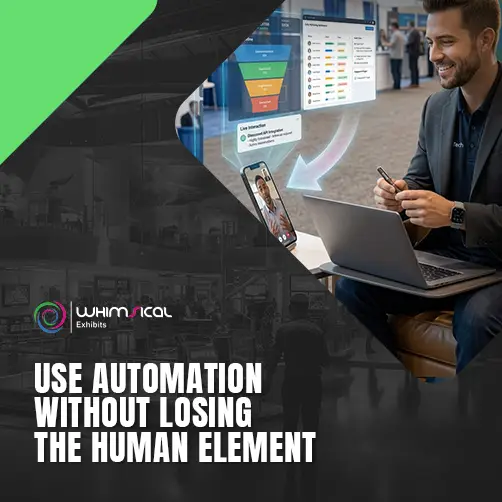
Automation can be very helpful when it comes to trade show lead follow up. It can make the process much more efficient, organized and scalable. However, automation should never be an excuse for lazy, impersonal outreach. The best way to handle post-show outreach is to use automation with some manual steps in order to optimize the process. First, you want to reach out to all your prospects as soon as possible after the event. Then, you should sort your leads into groups based on their needs and intention to buy, and have automated sequences for each group. Finally, you can use some tools to keep track of engagement and let your reps know when to step in and actively engage with the prospect. That’s why I think that you should use automation as your lead follow-up tool and your sales development reps’ time should be spent actively engaging with prospects, instead of doing repetitive, uninteresting tasks that could be done by anyone. The ultimate goal is to make the communication with the prospect quick, relevant and engaging, in order to maximize your chances to move them to the next stage of the sales process.
Chapter 9: How Trade Show Analytics Can Help You Prove Event ROI
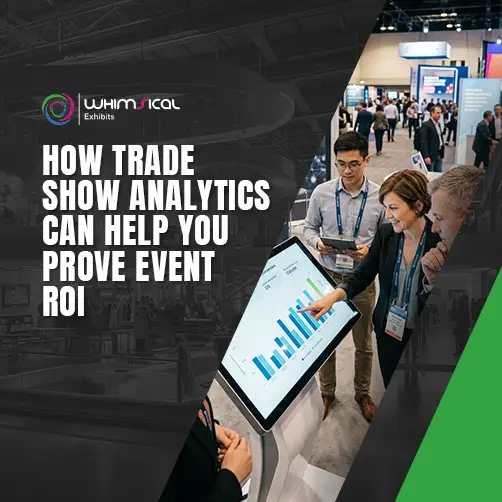
Trade shows can require serious investment across booth space, design, travel, staffing, marketing, shipping, and technology. Yet many exhibitors still judge event success by booth traffic alone. That approach can hide the real performance of your exhibition investment. Trade show analytics give you a clearer picture by connecting spending, visitor activity, lead quality, conversions, and revenue. You can then understand which events create genuine business value. I always recommend measuring trade shows like any other business investment. You should know what you spent, what you generated, and what happened afterward.
Track Total Event Costs
You cannot calculate meaningful ROI without knowing your complete event investment. Your booth may represent a major expense, but it rarely represents the entire exhibition budget. Travel, accommodation, shipping, staffing, marketing, technology, and event services can add significant costs. Create one complete cost record for every exhibition. Include expenses such as:
- Booth and space: Track exhibit space, stand construction, graphics, furniture, and related charges.
- Travel and accommodation: Include flights, hotels, transportation, meals, and staff travel expenses.
- Marketing: Record advertising, promotional campaigns, printed materials, and pre-show outreach.
- Technology: Include lead capture systems, displays, software, internet, and other technology costs.
- Staffing: Consider employee time, temporary staff, training, and related expenses.
- Logistics: Track shipping, storage, installation, dismantling, and material handling.
Do not forget smaller expenses because several minor costs can significantly increase your final investment. Accurate cost tracking gives you a realistic foundation for every later ROI calculation.
Measure Booth Traffic and Lead Volume
Booth traffic can provide valuable insights into an event’s turnout and your own exhibit’s success. However, it is not indicative of the success of the exhibition as a whole and only offers insight into your own booth’s performance. First and foremost, you can analyze general foot traffic to your booth in terms of visitors who engaged you. Secondly, it is essential that you keep track of how many of these visitors were successfully identified as a lead. Finally, you can see what times during the exhibition saw an increase in visitors to your booth and identify possible patterns. However, it is important to distinguish between visitors and leads at all times. A person who briefly picks up promotional material does not hold the same value as someone discussing a specific business requirement. Your analytics should therefore move beyond simple visitor counts. Look at lead volume alongside qualification, engagement, and eventual sales activity.
Monitor Qualified Leads and Conversions
Lead quantity tells only part of the story. Lead quality gives you a much stronger understanding of event performance. Track how many captured contacts meet your qualification criteria. Then monitor how many progress into meaningful sales stages. For example: 500 Visitors → 250 Leads → 80 Qualified Leads → 30 Opportunities → 8 Customers This sequence contains much more valuable information than simply a number of 500 booth visitors. Your CRM can now track the meeting results, demos, proposals, opportunities, and closed deals that occur after an exhibition. This will allow your team to identify the point at which prospects fall out of the sales process. If one event generates a large number of qualified leads but few opportunities, it may indicate that something in the follow-up process is failing. In addition, if prospects are consistently turning into opportunities but rarely into customers, it may be time to review the entire process for sales. Thus, analytics should help to identify the problem, not just count the numbers.
Calculate Cost Per Lead and Customer Acquisition
Cost calculations enable you to assess how much an event drives business efficiency. The simplest calculation is a cost per lead, derived by dividing the amount spent on an event by the total number of leads obtained. For instance, if your event costs $50,000 and generates 500 leads, your cost per lead equals $100. Nevertheless, it is important that you calculate the cost per qualified lead if the circumstances allow. This gives you a clearer picture of lead quality. Customer acquisition provides an even deeper measurement. If that same $50,000 event generates ten customers, your event-based acquisition cost equals $5,000 per customer. You can then compare that figure against customer value and revenue. Keep in mind that trade show sales cycles can extend for months. Therefore, avoid judging an event too quickly after the exhibition closes. Track opportunities over an appropriate period before declaring the final result.
Compare Results Across Different Trade Shows
One event’s numbers become much more useful when you compare them with other exhibitions. Create consistent measurements across your event portfolio. Track costs, leads, qualified leads, opportunities, customers, conversion rates, and revenue. For example, one exhibition might generate 1,000 leads while another generates only 300. At first glance, the larger event may appear more successful. However, suppose the smaller event produces twice as many qualified opportunities and significantly higher revenue. That comparison changes the decision completely. Use analytics to identify patterns such as:
- Which shows generate the best qualified leads?
- Which events produce the strongest conversion rates?
- Which exhibitions create the lowest acquisition costs?
- Which products attract the most valuable prospects?
- Which events consistently generate measurable revenue?
These insights can influence your future event calendar and budget allocation. You may discover that a smaller industry exhibition delivers better commercial results than a much larger general trade show.
Turn Event Data into Better Decisions
Trade show analytics should do more than create attractive reports for management. They should help your team make smarter decisions about future exhibitions. Start with complete cost tracking. Then measure traffic, leads, qualification, conversions, and customer acquisition. Finally, compare those results across different events and over meaningful sales periods. Remember, the most successful trade show is not always the busiest one. It is possible that a small event can have a higher ROI than a big trade show if the turnout was satisfactory and the sales opportunities were good. By consistently tracking events analytics, the ROI becomes less based on opinions and more on actual figures that your business can rely on to make a decision. That is what trade show ROI analytics are about – getting more out of your events.
Chapter 10: How to Build a Smarter Trade Show Strategy with the Right Software Stack
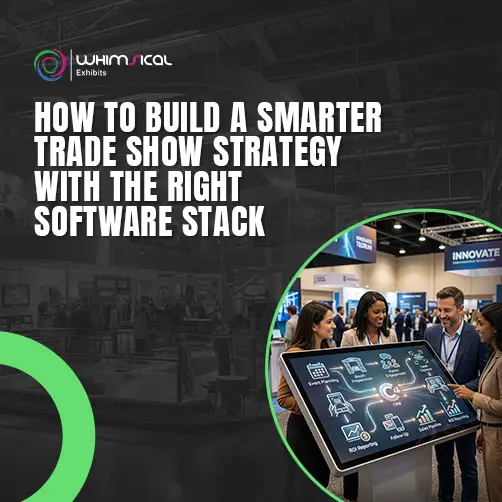
Your trade show technology should not become a collection of disconnected tools. When platforms cannot share information, your team spends more time moving data between systems. A smarter approach connects the tools supporting your entire exhibition journey. Your event planning, lead capture, CRM, event marketing, follow-up, and analytics should work together. I often recommend thinking about your software stack like a trade show team. Every tool has a specific role, but they should all work toward the same goal. The objective is not to own more software. It is to create a smoother process that helps your team work faster and make better decisions.
Map Your Complete Trade Show Workflow
Before choosing another platform, understand how your current trade show process works. Start by mapping everything your team does before, during, and after the event. Include planning, booth preparation, visitor engagement, lead capture, sales follow-up, and reporting. Then identify where information enters your system and where it moves afterward. For example, your workflow might look like this: Event Planning → Booth Preparation → Visitor Engagement → Lead Capture → CRM → Follow-Up → Sales Pipeline → ROI Reporting Now look for delays and repetitive tasks within each stage. Ask yourself:
- Where does your team enter the same information twice?
- Which tasks require manual updates?
- Where do leads become difficult to track?
- Which systems cannot communicate with each other?
- Where does your team lose visibility?
This exercise gives you a clear technology roadmap. You should solve workflow problems before purchasing additional software.
Choose Complementary Tools
You rarely need one platform to manage every trade show activity. Different tools often perform specific jobs better. For example, event management software can organize schedules and tasks. Lead capture software can collect visitor information. Your CRM can manage sales relationships, while marketing automation can support follow-up. Analytics tools can then help measure the overall performance. The key is choosing complementary tools rather than overlapping tools. Before adding a platform, ask what specific problem it solves. If another system already handles that task effectively, adding another platform may create unnecessary complexity. Also consider how comfortable your team feels using the technology. A powerful tool provides little value when staff avoid using it.
Connect Your Software Through Integrations
Your software becomes much more valuable when information can move between platforms automatically. For example, your lead capture system can send qualified visitor information directly into your CRM. Your marketing platform can then use that information for relevant follow-up campaigns. Your analytics system can use event and sales data to measure results later. Before connecting systems, decide which platform should remain the main source for each type of information. For example, your CRM may remain the primary source for customer and sales information. Your event platform may remain responsible for event tasks and schedules. This structure prevents conflicting information across your systems. Also test integrations before every major event. A connection that worked previously can fail after software updates or configuration changes.
Eliminate Duplicate Data Entry
Duplicate data entry is one of the easiest problems to overlook. Your team may capture a visitor’s information at the booth, enter it into an event platform, and then manually copy it into the CRM. That process wastes time and creates opportunities for mistakes. A connected software stack can reduce much of this repetitive work. For example, a lead record could move automatically from your capture platform into your CRM. The CRM can then assign ownership and create follow-up tasks. Your team can spend those saved hours on activities that require human judgment. However, do not automate everything without checking the results. Review transferred records regularly to ensure information remains accurate and complete. Automation should reduce repetitive work without reducing data quality.
Create a Repeatable Technology Process
Your software stack should become part of your standard trade show process. Do not rebuild your technology workflow from scratch for every exhibition. Create a repeatable process that your team can follow across different events. Document how your team should use each platform before, during, and after the show, and turn it into a trade show exhibitor checklist for every event. For example, establish clear procedures for:
- Pre-show setup: Configure event details, users, lead fields, integrations, and reporting.
- Show-day operation: Capture leads, record notes, qualify visitors, and assign priorities.
- Post-show transfer: Move leads into the CRM and create appropriate follow-up tasks.
- Sales follow-up: Contact prospects according to their interests and buying intent.
- Performance review: Measure costs, leads, opportunities, conversions, and revenue.
This repeatable structure makes training easier and reduces confusion between events. It also allows you to identify which parts of your process consistently work and which require improvement.
Build a Software Stack That Works Together
The best software stack does not necessarily contain the most platforms. It contains the right platforms working together. Start by mapping your workflow. Then identify the tools required at each stage. Next, connect those systems and eliminate unnecessary manual data entry. Finally, document the process so your team can repeat it consistently. I recommend reviewing your technology stack after major exhibitions. Your team’s experience can reveal where another integration, automation, or process improvement could create value. Remember, technology should support your exhibition strategy rather than become the strategy itself. When your systems work together, your team gains better visibility from the first planning task through the final sales outcome. That is what makes a trade show software stack genuinely smart: every tool has a purpose, every system shares useful information, and every process moves your event closer to measurable business results.
Chapter 11: Trade Show Software Best Practices
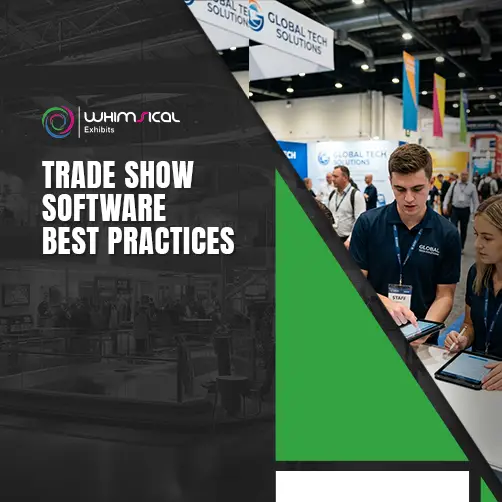
Buying trade show software does not automatically improve your exhibition results. Your team still needs the right process, training, and discipline. Even excellent software can create poor results when staff use it incorrectly or skip important steps. The good news is that you do not need a complicated system. A few practical habits can improve data quality, lead qualification, staff confidence, and follow-up. I recommend treating these practices as part of your standard trade show playbook and trade show exhibitor checklist, rather than optional technology tips
Train Booth Staff Before the Event
Your booth staff will determine how effectively your software works during the exhibition. Therefore, training should happen before anyone enters the booth. Do not assume staff will understand the system after watching a quick demonstration. Give them time to practice the actual workflow. Show them how to capture a visitor, add notes, qualify leads, and assign follow-up actions. You should also explain why each step matters. For example, staff may skip conversation notes if they believe those details have little value. Explain how those notes help sales representatives continue the conversation after the event. A short practice session can cover:
- Lead capture: Show staff how to create and save visitor records.
- Qualification: Explain which questions and signals determine lead quality.
- Notes: Demonstrate how to record useful conversation details quickly.
- Lead status: Explain when staff should mark prospects as hot, warm, or cold.
- Follow-up: Show how to record requested calls, meetings, demonstrations, or information.
Keep the training practical and simple. I recommend using realistic visitor scenarios instead of only explaining software features. Your team should practice while handling conversations similar to those they will experience at the actual show.
Create Consistent Lead Qualification Rules
Your software cannot produce reliable lead scores when every representative follows different qualification standards. Before the exhibition, agree on what makes a lead valuable. Your rules might consider: Business Need + Product Fit + Buying Timeline + Authority + Budget + Next Action Every representative should understand these criteria before speaking with visitors. For example, one staff member should not classify a prospect as “hot” simply because they requested a brochure. Another representative might consider a visitor hot only after confirming their purchasing timeline and business requirement. Clear rules create more consistent data across your entire booth team. They also help sales representatives understand which prospects deserve immediate attention after the exhibition. However, keep your qualification process short. Too many questions can slow conversations and make visitors uncomfortable. Your goal is to understand buying potential without turning every booth interaction into a formal sales interview.
Test Your Software Before Show Day
Never wait until the exhibition opens to discover that your software has problems. Add this to your trade show exhibitor checklist: test every important part of your technology before the event. This includes devices, user accounts, internet connections, lead forms, badge scanning, integrations, and CRM transfers. Run realistic tests using sample visitor information. Capture a test lead and follow it through the entire process. Check whether the information reaches the correct system and whether the correct sales representative receives it. Also test your backup process. Technology can fail because of poor connectivity, device problems, software errors, or unexpected event conditions. Your team should know what to do if the primary system stops working. A simple backup process can prevent valuable visitor information from disappearing during a busy exhibition. I strongly recommend completing your final technology test before your team reaches show day.
Keep Lead Data Clean and Organized
Collecting thousands of records does not help when your database contains errors and duplicates. Clean lead data gives your sales team better information for follow-up. It also improves the accuracy of your event reporting. Set clear standards for the information your booth staff collects. For example, everyone should use consistent formats for company names, lead status, product interests, and other important fields. After the exhibition, review your records for:
- Duplicate contacts
- Missing information
- Incorrect contact details
- Unclear lead status
- Unassigned leads
- Incomplete conversation notes
- Missing follow-up actions
Complete this process quickly while your team’s conversations remain fresh. Also assign someone responsibility for data quality. If everyone assumes someone else will clean the database, important problems can remain unresolved. Clean data is not simply an administrative task. It directly affects your sales team’s ability to follow up effectively.
Review Results After Every Event
Your trade show software can provide valuable information after the exhibition ends. Do not let those reports sit unused. Schedule a post-event review with the teams involved in the exhibition. Look beyond the number of leads captured. Review lead quality, follow-up speed, opportunities, conversions, costs, and revenue. Ask practical questions such as:
- Which lead sources performed best?
- Did staff follow the qualification process consistently?
- Were important leads contacted quickly?
- Did the CRM integration work correctly?
- Which software features created the most value?
- Where did staff experience problems?
- What should we change before the next event?
Your answers can improve both your technology and your exhibition strategy. For example, you may discover that your team captures plenty of leads but records weak conversation notes. You can then improve your training before the next event. You might also discover that certain automated tasks save significant staff time. That insight can help you expand automation across future exhibitions.
Make Your Software Better With Every Event
Trade show software should become more useful as your team gains experience. Start by training staff properly and establishing clear qualification rules. Then test everything before show day and maintain clean lead data. After every exhibition, review what happened and turn those findings into practical improvements. I recommend treating each event as a real-world test of your technology and process. Your software may remain the same, but your team’s approach should keep improving. Ultimately, the best trade show technology strategy combines reliable software, trained people, clean data, and repeatable processes. When those four elements work together, your team can capture better information, follow up more effectively, and get greater value from every exhibition investment.
Chapter 12: Trade Show Software Examples: How Exhibitors Use Technology to Generate Better Results
Trade show software becomes easier to understand when you see how exhibitors can use it in practical situations. Different exhibitors have different goals, budgets, audiences, and sales processes. Therefore, the right technology strategy will not look identical for every business. The examples below show how exhibitors can connect software, people, and processes to create better outcomes. These are practical scenarios rather than guarantees of specific results. Your actual performance will depend on your audience, offer, event, team, and follow-up process.
Example 1: Using Lead Capture to Improve Lead Quality
Imagine a technology company exhibiting at a major industry trade show. Its booth attracts hundreds of visitors, but the sales team receives incomplete information afterward. The company introduces digital lead capture with a few focused qualification questions. Staff now collect contact details alongside product interests, business needs, and purchasing timelines. They also record short conversation notes after important discussions. Instead of returning with hundreds of basic contacts, the company leaves with more useful prospect information. The sales team can then identify visitors who need immediate attention. For example, one record might show: “Interested in enterprise software. Needs pricing for 500 users. Decision expected within three months.” That information gives the salesperson a clear reason to follow up. The lesson here is simple: better lead information can create better sales conversations. Lead capture software does not automatically improve lead quality. Your questions, staff training, and qualification process determine the information you collect.
Example 2: Connecting Booth Leads Directly to CRM
Now imagine an exhibitor that already uses a CRM for managing its sales pipeline. Previously, booth staff collected leads through a separate event platform. Someone then exported the data and manually entered it into the CRM. That process created delays and duplicate records. The company connects its lead capture platform directly with its CRM. Now, suitable lead information can move into the sales system without requiring repeated manual entry. The CRM can then assign leads according to rules such as:
- Sales territory
- Industry
- Product interest
- Account ownership
- Lead qualification
- Buying urgency
For example, a healthcare prospect can automatically reach the sales representative managing healthcare accounts. The representative receives the visitor’s contact information, interests, notes, and qualification details. This creates a smoother handoff between the booth and sales team. The important lesson is not simply “connect your CRM.” The integration must also transfer accurate information and assign clear ownership. Before an exhibition, always test the complete data journey using sample records.
Example 3: Automating Post-Show Follow-Up
Consider an exhibitor that captures 400 leads during a three-day exhibition. Its sales team cannot realistically provide the same personal attention to every visitor immediately. The company therefore creates different follow-up paths based on lead quality and interests. High-priority prospects receive direct sales calls and personalized messages. Warm prospects receive relevant product information and scheduled follow-up. Other contacts enter longer-term communication campaigns. For example, someone requesting a product demonstration could receive a confirmation message immediately. A sales representative could then receive an automated task to contact that prospect personally. Meanwhile, someone researching future solutions might receive educational content instead. This approach prevents the company from sending identical messages to everyone. It also helps sales representatives focus their time on prospects showing stronger buying signals. However, automation should not replace human judgment. A personalized phone call can make a significant difference when a prospect has a specific requirement or immediate purchasing need. The best approach combines automated timing with human communication.
Example 4: Using Analytics to Identify High-Performing Events
Now consider a company that attends ten trade shows every year. Management wants to know which events deserve continued investment. Instead of comparing events using visitor numbers alone, the company tracks complete performance data. It records event costs, leads, qualified prospects, opportunities, customers, and revenue. After reviewing the results, management discovers an interesting pattern. A large industry event generated 1,200 leads but produced relatively few qualified opportunities. A smaller specialist event generated only 350 leads but created significantly more sales opportunities. The smaller event therefore delivered stronger commercial value despite attracting fewer visitors. This insight can influence the company’s future event strategy. Management might increase investment in specialist events while changing its approach toward larger shows. Analytics can also reveal problems within individual events. For example, strong lead volume but weak conversions could indicate problems with qualification or follow-up. Strong opportunities but poor closing rates could point toward issues later in the sales process. The key lesson is that event performance should follow the entire customer journey, not just booth traffic.
What These Examples Tell Us
These scenarios show that trade show software works best when technology supports a clear business process. Lead capture can improve the information your team collects. CRM integration can move that information into your sales workflow. Follow-up automation can help your team respond consistently. Analytics can then show whether those activities created meaningful business results. However, software remains only one part of the equation. Your strategy, booth staff, data quality, qualification process, sales approach, and follow-up discipline all influence the final outcome. I would therefore avoid asking, “Which software will give us the best trade show results?” Instead, ask: “Where does our current trade show process lose time, information, or sales opportunities?” Then choose technology that addresses those specific gaps. That mindset helps you avoid unnecessary software spending while creating a technology system that supports measurable business growth. Ultimately, the strongest trade show technology strategy connects the entire journey: Visitor → Lead → Qualified Prospect → Sales Opportunity → Customer → Measurable ROI When your systems support that journey, your trade show activity becomes easier to manage, easier to measure, and more valuable to your business.
Conclusion: Turn Trade Show Technology into Measurable Business Results
Trade show software can do much more than collect visitor information. When you use it correctly, it can improve planning, lead capture, sales follow-up, and event measurement. The key is choosing technology that solves your actual business challenges. You do not need every available feature or the most expensive platform. Instead, focus on creating a connected process that moves smoothly from event planning to lead capture, CRM management, follow-up, and ROI measurement. Your team also plays an important role. Proper training, consistent lead qualification, clean data, and timely follow-up determine how much value your software creates. I recommend reviewing your technology strategy after every major exhibition, and using this trade show marketing guide as your reference point. Look at what worked, where your team struggled, and which processes need improvement. Then use those insights to make your next event more efficient and measurable. Remember, the real goal is not simply to collect more leads. It is to capture better prospects, understand their needs, follow up intelligently, and turn opportunities into business results.